
Month 1 · weeks 1–4
Python basics
You know the core of Python and write small scripts that work.
- 1Variables, numbers and strings
- 2Lists and loops
- 3Conditions and logic
- 4Dictionaries and review
Wrap-up: monthly review
Python for Revit · pyRevit
PyPath teaches you Python in 12 weeks with one goal: your own pyRevit tools. Ten minutes a day of writing real code, on a simulated Revit model of real greenhouses and building services.
Coming soon to the App Store
See the curriculumThe lessons are in Dutch for now. English lessons are on the roadmap.
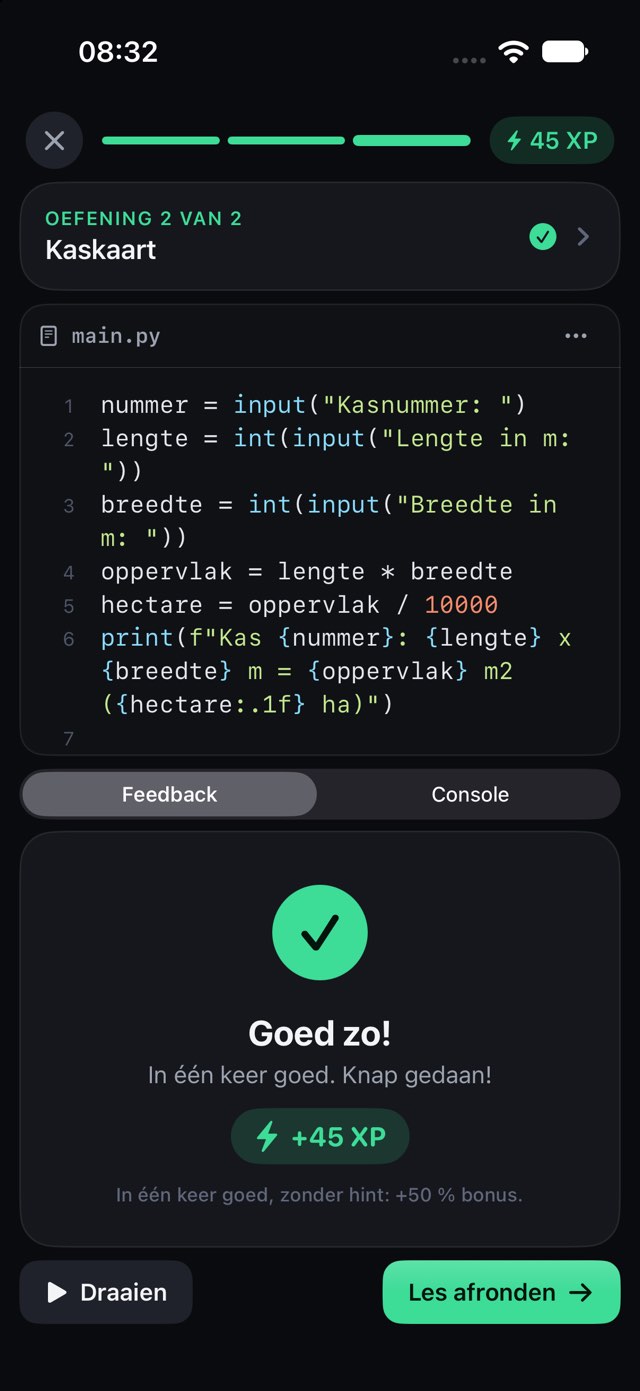
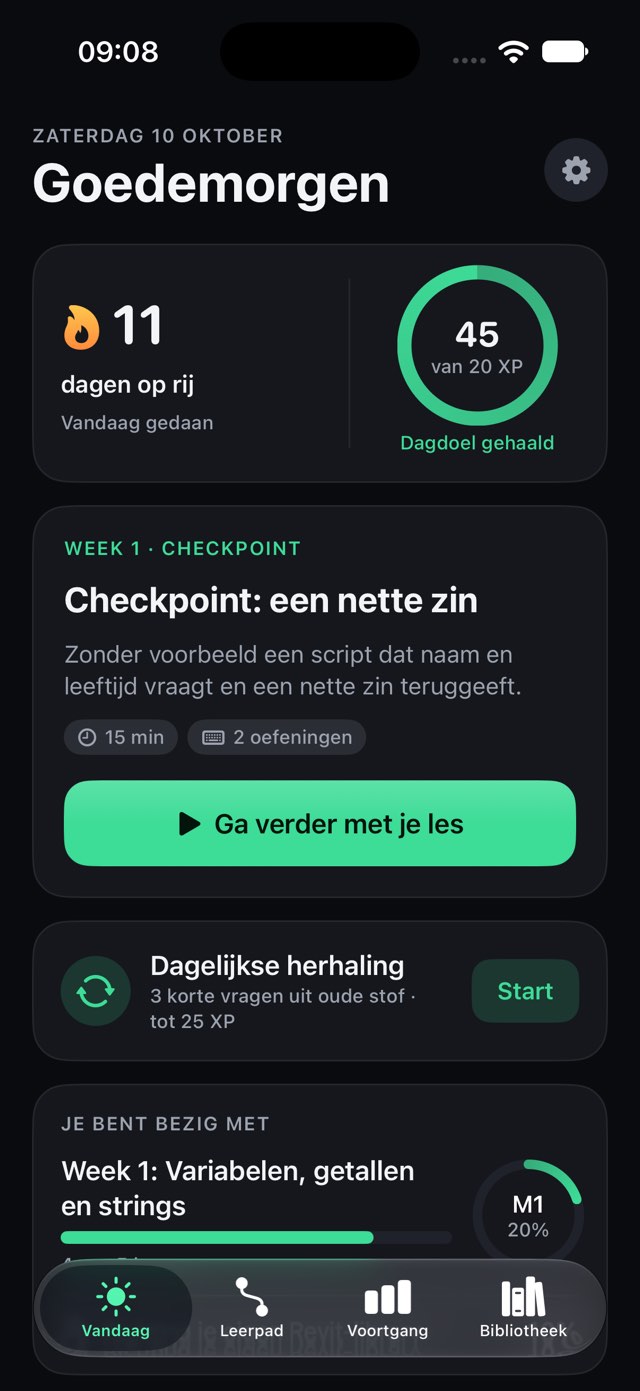
Learn, practise, build your own library and use it in Revit. One route, one payment.
12 weeks of Python, ten minutes a day, with instant feedback and daily review.
In the appThe same Revit API names on a simulated model of greenhouses and building services. No Revit, no risk.
In the appYour own library per trade: heating, water, greenhouse construction. About the trade packs
Trade packs comingYour library as a pyRevit extension in real Revit on Windows, as a button on your own ribbon.
Coming soonWhat makes PyPath different
In PyPath you write the same lines as in pyRevit: FilteredElementCollector, categories, parameters and transactions. The app runs them on a simulated model of a complete greenhouse. So you can practise on the go what you will use at the office, and nothing can go wrong in a real project.
from Autodesk.Revit.DB import *

doc = __revit__.ActiveUIDocument.Document

# All pipes in the model (no pipe types)
pipes = (FilteredElementCollector(doc)
    .OfCategory(BuiltInCategory.OST_PipeCurves)
    .WhereElementIsNotElementType())

per_system = {}
for pipe in pipes:
    system = pipe.get_Parameter(
        BuiltInParameter.RBS_SYSTEM_NAME_PARAM).AsString()
    length = pipe.get_Parameter(
        BuiltInParameter.CURVE_ELEM_LENGTH).AsDouble()
    metres = UnitUtils.ConvertFromInternalUnits(
        length, UnitTypeId.Meters)
    per_system[system] = per_system.get(system, 0) + metres

for system, metres in sorted(per_system.items()):
print("{}: {:.1f} m".format(system, metres))CV Aanvoer: 246.1 m
CV Retour: 248.8 m
Gietwater: 210.1 mfrom Autodesk.Revit.DB import *
doc = __revit__.ActiveUIDocument.Document
for wall in FilteredElementCollector(doc).OfClass(Wall):
grid = wall.CurtainGrid
if grid is None:
continue # a regular wall, not a curtain wall
mark = wall.get_Parameter(
BuiltInParameter.ALL_MODEL_MARK).AsString()
panels = len(grid.GetPanelIds())
mullions = len(grid.GetMullionIds())
print("{}: {} panels, {} mullions".format(
mark, panels, mullions))Gevel Zuid: 64 panels, 148 mullions
Gevel Oost: 96 panels, 220 mullions
Gevel Noord: 64 panels, 148 mullions
Gevel West: 96 panels, 220 mullionsThe output above comes from the simulated model in the app (its system names and marks are Dutch). Checked against the Revit API 2025 documentation; not yet run in a real Revit.
What you type in PyPath is what you will type in pyRevit. No made-up practice language, but the classes and methods you will find in the Revit API.
Forget a transaction and you get an error like the one Revit gives you, with a plain-language explanation next to it.
The model is simulated. You cannot break anything, and you do not need a Revit licence to practise.
What you will build
You make tools like these in the month 3 lessons and in the trade packs. On the simulated model you see straight away what they find.
All pipes per system added up, as a list or as a CSV for Excel.
Example above · Heating trade pack (coming soon)Finds pipes that are not connected to anything, before it shows up on site.
Heating trade pack (coming soon)Flags pipes where the water flows too fast for the chosen diameter.
Heating trade pack (coming soon)A status or comment on hundreds of elements at once, in one transaction you can undo.
Week 11 of the curriculumGlass area and profile length per facade and roof plane, ready for the order list.
Greenhouse construction trade pack (coming soon)Finds empty panels in the facades and missing glazing bars in the roof.
Greenhouse construction trade pack (coming soon)We will measure how much time each tool saves in the field test. Until then, we do not quote numbers.
How it works
No hour-long videos. A short explanation, then you type it yourself, and PyPath checks it right away.
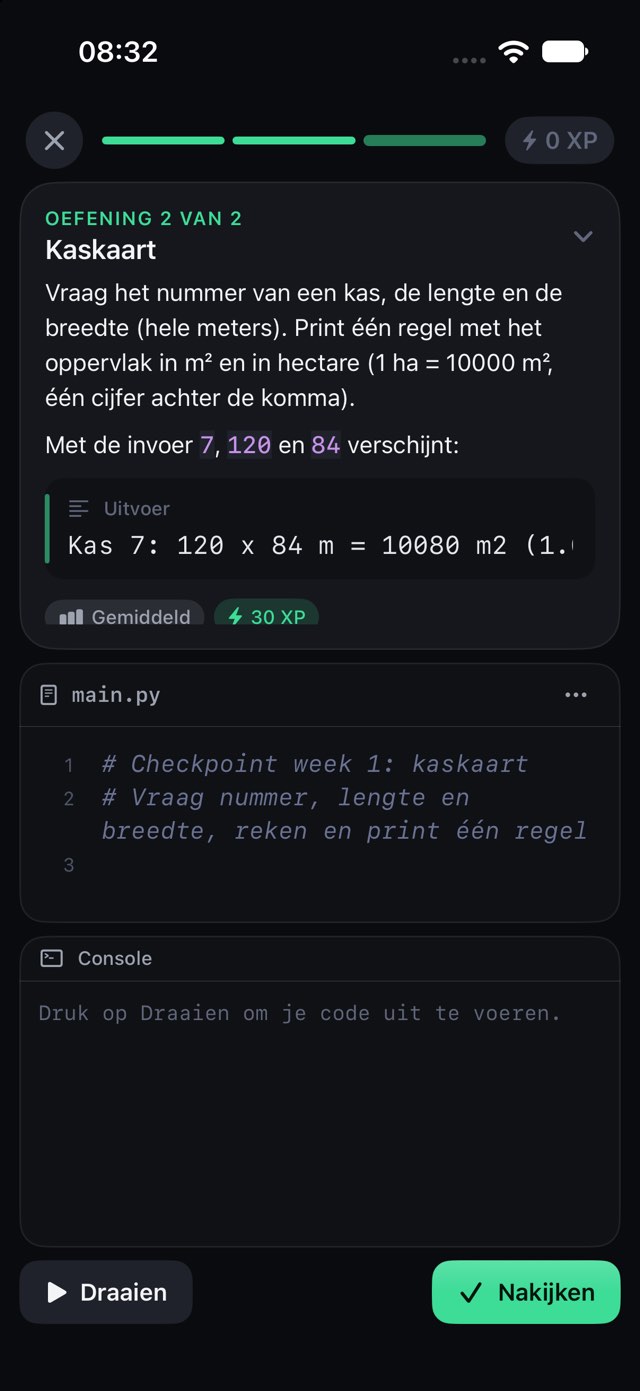
At most ten minutes of explanation in short blocks, with examples from building services and greenhouse construction. Then you know exactly what your code should do.
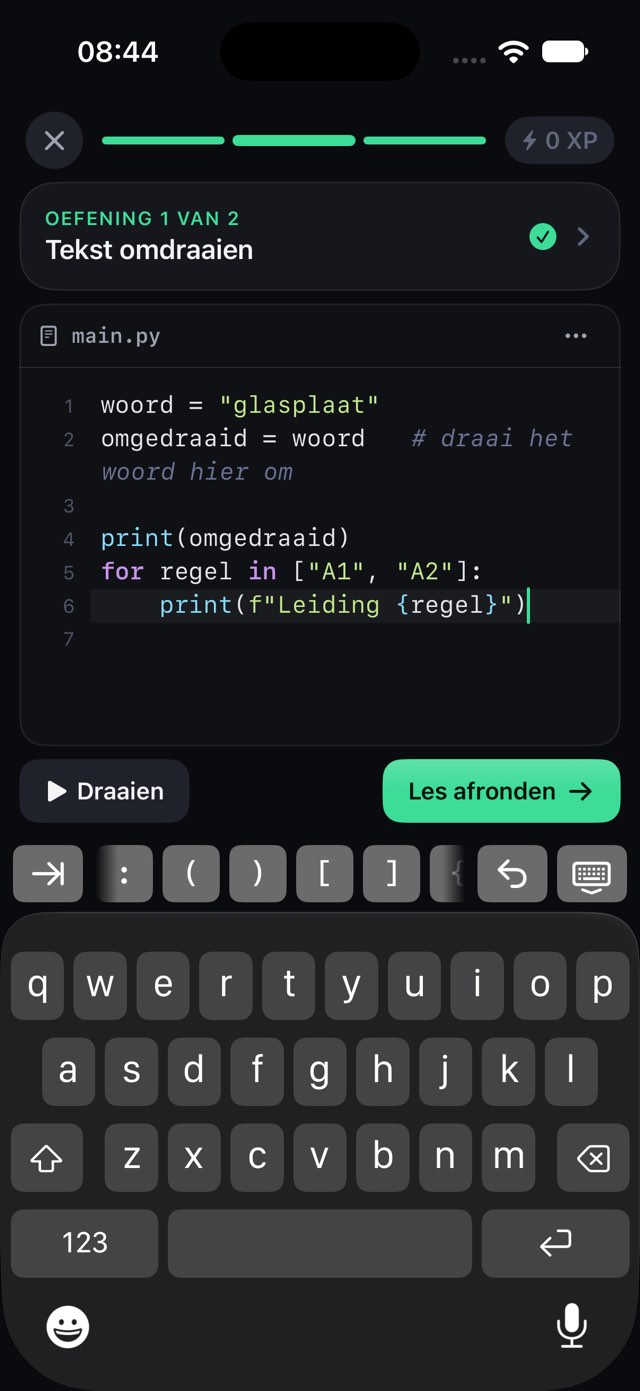
A real code editor, with an extra key row for brackets, colons and indentation. You learn by typing, not by watching.
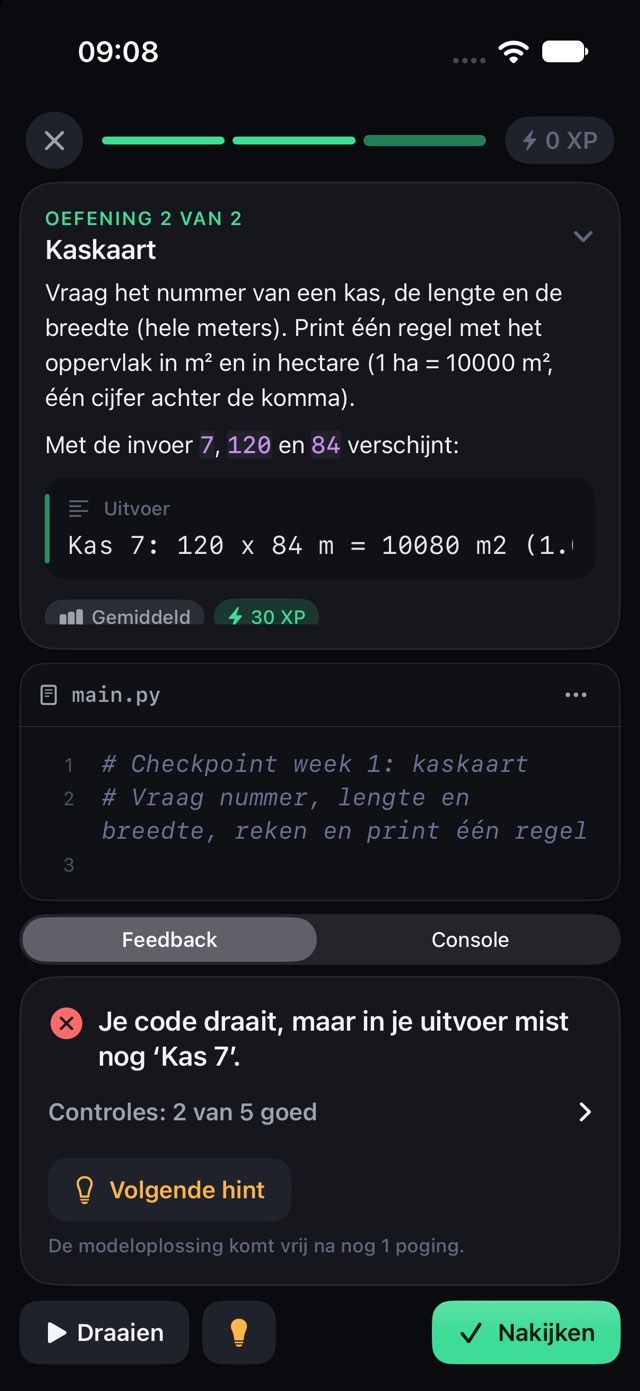
If something is off, PyPath tells you in plain language what is missing and gives you a hint. No spoilers: you can see the solution after three attempts.
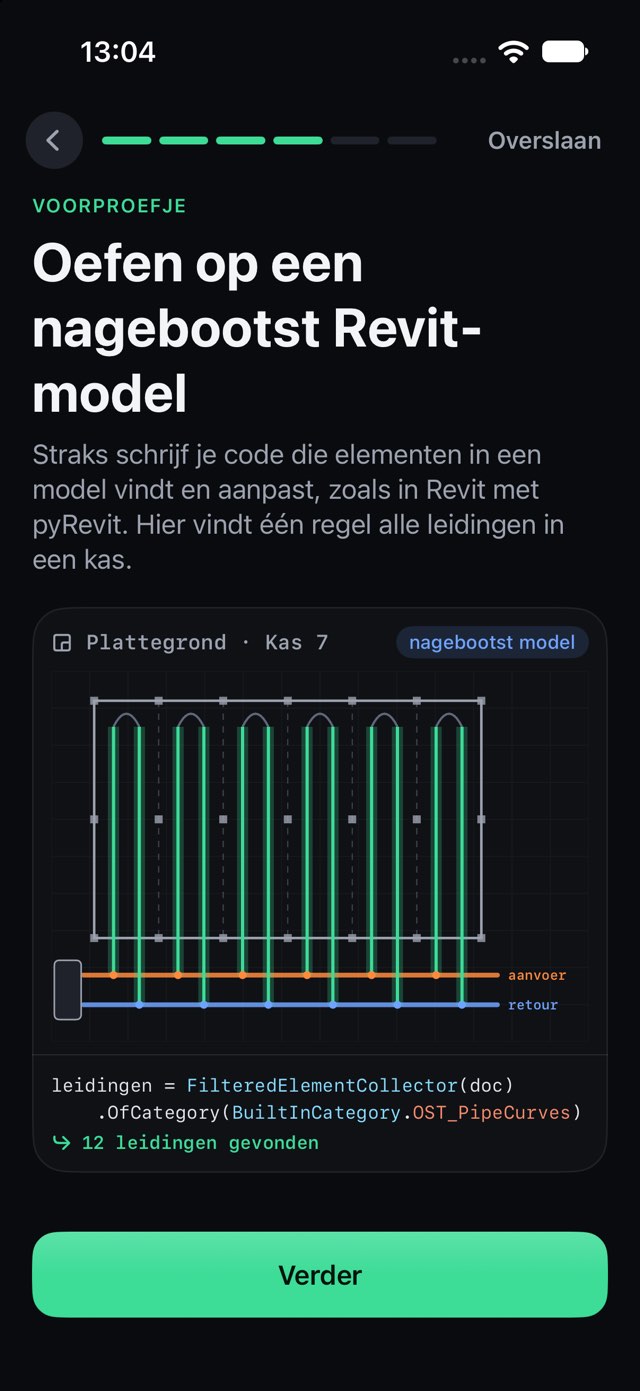
Your code looks for elements in a simulated greenhouse, just like in Revit with pyRevit. You see straight away what it finds.
Three short review questions every day, a streak that forgives one missed day per week, XP and levels per topic, badges, and a new app theme every time you finish a month.
The 12-week plan
About five short lessons a week. Every week ends with a checkpoint, and every lesson shows how it works in Revit.
Month 1 · weeks 1–4
You know the core of Python and write small scripts that work.
Wrap-up: monthly review
Month 2 · weeks 5–8
You write your own functions and classes and work with modules and files.
Wrap-up: a small building model in objects
Month 3 · weeks 9–12
You work with pyRevit and the Revit API and bundle your best functions into your own library.
Final project: a pyRevit tool that does a boring task for you
Want to know how to get started on your own first? Read the roadmap Learning Python for Revit: where do you start?
Exercises from real work
The exercises are about building services and greenhouses, from very easy to professional level. So every line of code feels like real work.
Heating, water and electrical in greenhouse horticulture: heating pipes and zones, flow rates, heat output, water lines and electrical circuits. In Revit these are pipes, systems and connectors.
PipePipingSystemTypeMEPSystemConnectorGlass and curtain walls: glass panels, mullions, facades and roofs. In Revit these are curtain walls with their grid, panels and mullions.
WallCurtainGridPanelMullioniPhone, iPad and Mac
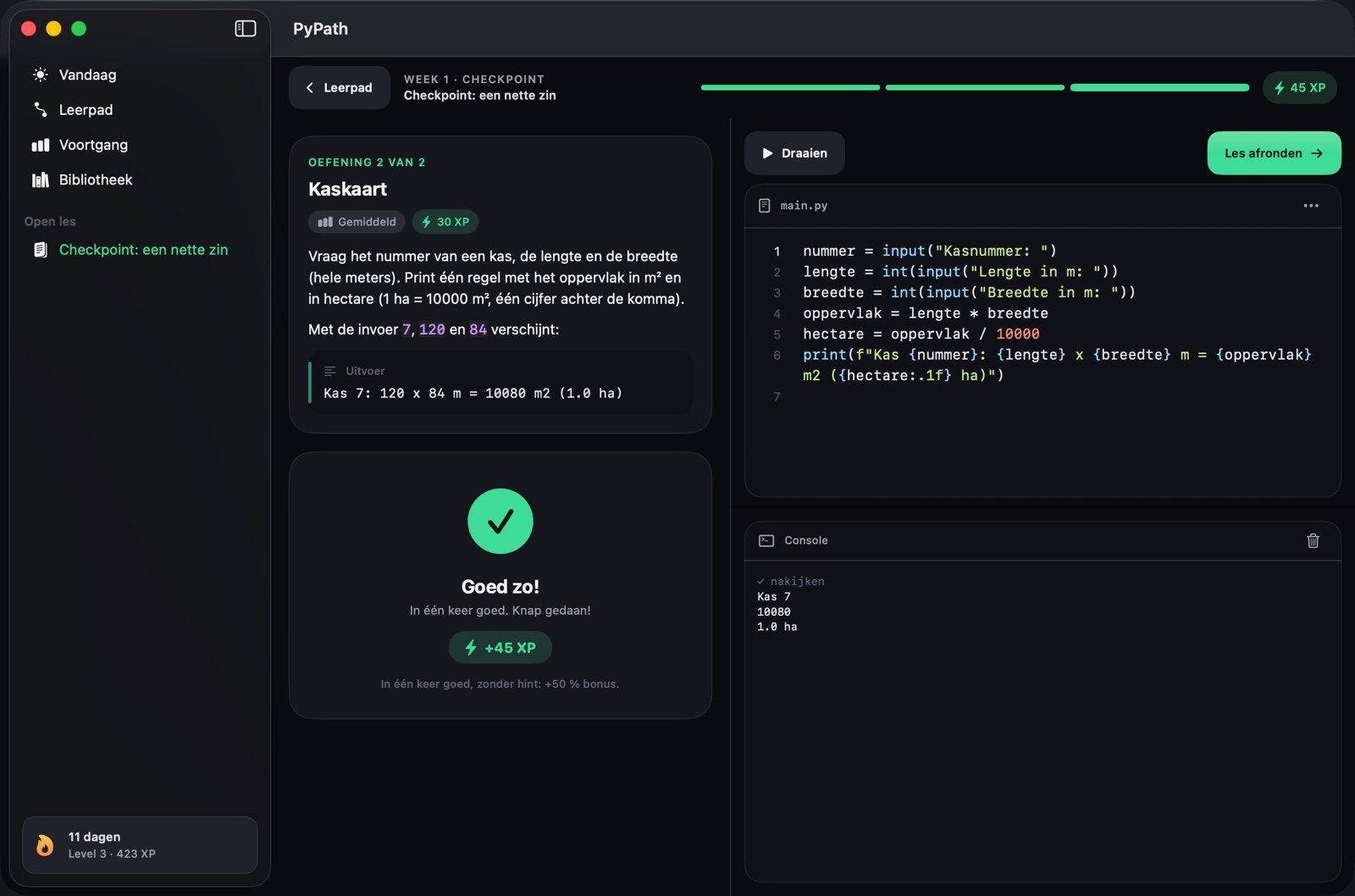
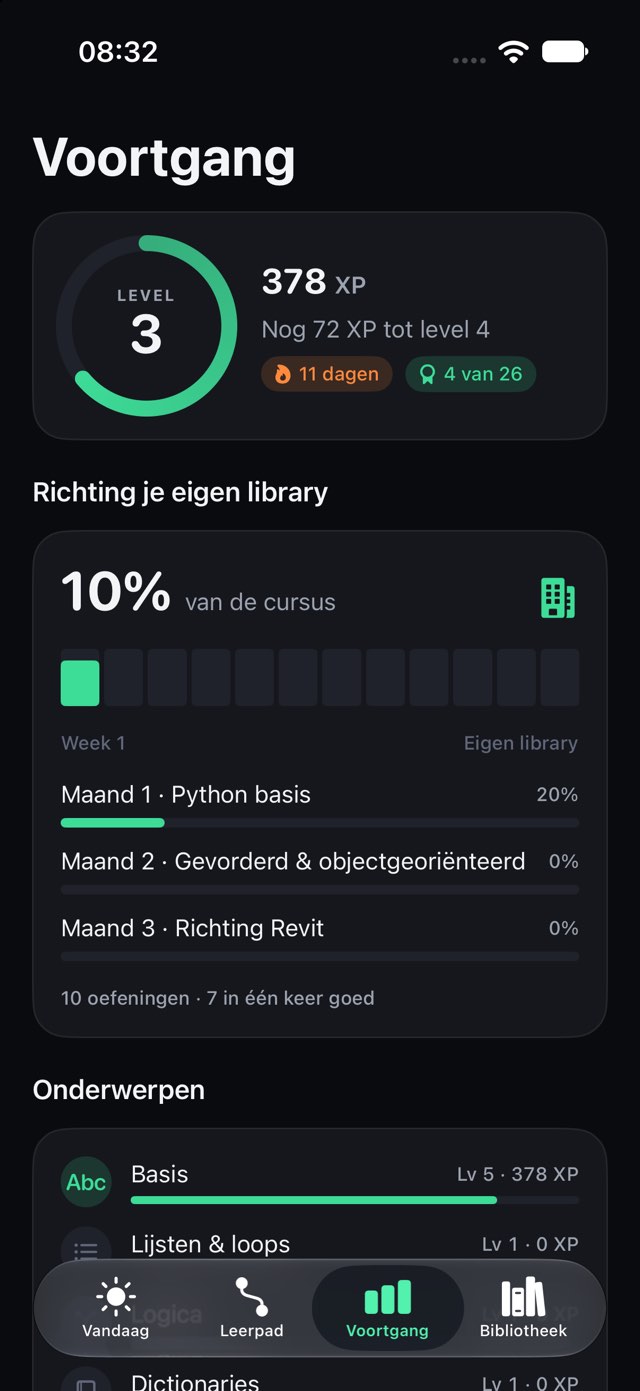
Pricing
Buy what you need, no subscription.
Week 1 is free. Try first, then decide: your first code within two minutes, all lessons of week 1 and the daily review.
For yourself
€99.99 one-time
Weeks 2 to 12
For your trade Coming soon
€249.99 one-time
Basis + the three launch packs
For your team
In preparation
With an invoice and progress per employee
Less than one day of classroom training, and you are never away from work for a day.
Your employer can reimburse it. Send this to your manager
Prices in euros for the Netherlands, including VAT. Prices may vary by country; the App Store always shows your price. You pay through Apple, and a purchase works on all your devices with the same Apple ID. Trade packs and PyPath Complete go on sale once the trade packs have lessons.
More drawing work with the same people, fewer mistakes and a reason to stay. Calculate what it is worth to you, with the learning time included.
FAQ
Not yet. The lessons and the app are in Dutch for now; English lessons are on the roadmap. The code itself uses the real English names from Python, the Revit API and pyRevit.
No. You start at your very first line of Python. Every lesson explains what you need in short pieces and has you type it yourself right away. After three months you write your own pyRevit tools.
No. PyPath has a simulated Revit environment with the real names from the Revit API, on a model of a complete greenhouse. So you practise on your iPhone or Mac. For your own tools at work, you later use Revit with the free pyRevit add-in on a Windows PC.
Yes. PyPath does not replace a building services package or Dynamo. It complements them: for what your package does not do, and for your own checks and schedules. If you know Dynamo you have a good foundation; with Python and pyRevit you make buttons your whole team can use.
You practise in the app, without Revit and without installing anything on your work PC. To use your tools in Revit later, you need pyRevit: free and open source, but ask your IT department whether you may install it.
Yes. In the Netherlands an employer can reimburse training tax-free under the work-related costs scheme (werkkostenregeling). You buy it yourself in the App Store and claim the expense. Use our ready-made letter for your manager.
That is what it is for: the exercises use the real Revit API names, and pyRevit loads your own library automatically. Exporting to a pyRevit extension and testing in real Revit are still to come; until then we say "coming soon".
You learn Python 3. pyRevit uses IronPython 2.7 by default and can also run Python 3. PyPath explains the differences you will run into in practice, such as f-strings versus .format().
No, everything is a one-time purchase. Week 1 is free. After that you buy PyPath Basis (weeks 2 to 12) and, if you like, trade packs for your field, or everything at once with PyPath Complete. What you buy stays yours.
Yes. It is one app for iPhone and iPad (iOS 18 or later) and Mac (macOS 15 or later). Your progress syncs via iCloud, and a purchase works on all your devices with the same Apple ID.
Nothing. PyPath does not collect any personal data: no account, no tracking, no analytics. Your code runs inside the app, and your progress stays on your device and in your own iCloud. See the privacy policy.
No. PyPath is an independent app. Revit belongs to Autodesk, and pyRevit is a free open-source project. PyPath teaches you to work with both.
PyPath is coming soon to the App Store. As soon as it is available, the download button will appear on this page. Want to test it earlier? See the call below.
Week 1 is free. Ten minutes a day, and in twelve weeks you will be automating Revit.
Coming soon to the App Store
Read the guide first